When Xbox services go down, the first question every player asks is simple: how long will this take? The answer depends on what’s actually broken. Most Xbox outages resolve within a few hours—but some last longer, and not all outages affect everyone equally. Whether you’re locked out of sign-in, can’t access cloud gaming, or just see an error on your dashboard, understanding what’s happening behind the scenes helps you know whether to wait, troubleshoot, or just come back later.
Quick Questions and Answers
Question: How long does Xbox usually take to come back online?
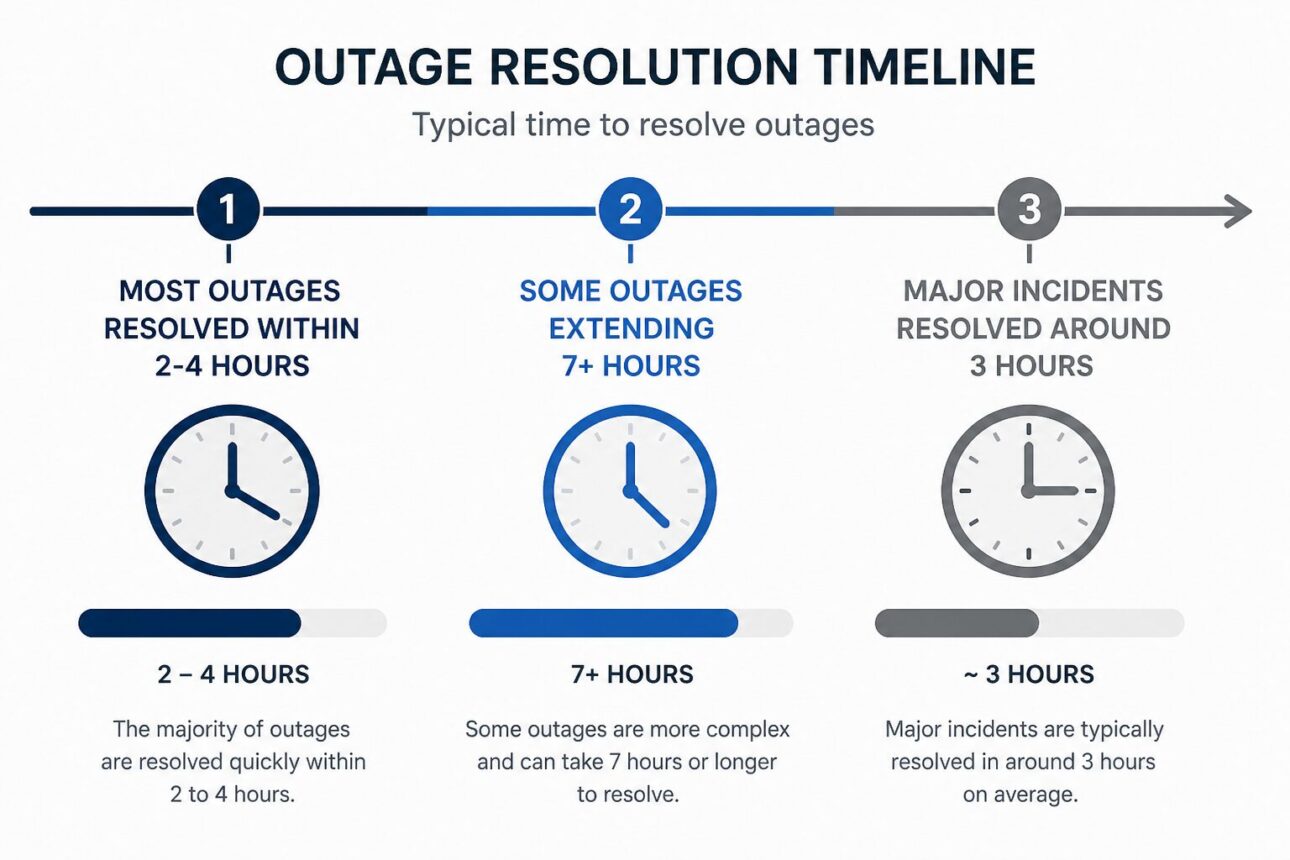
Answer: Most Xbox service outages are resolved within a few hours. According to Asurion, server outages typically conclude in that timeframe. Tech Times reported one Xbox Live outage lasting 3 hours, while community reports on Reddit documented another that took 7 hours. The exact duration depends on whether the problem is local, regional, or tied to a broader Microsoft or cloud infrastructure incident.
Question: Why is Xbox down for some people but not others?
Answer: Xbox can appear down for only part of the user base when the outage affects a specific region, a single service like cloud gaming, or just the sign-in system. Sunday Star notes that reported issues vary by user and region, and OreateAI explains that outages may affect different service types separately. One player could be completely locked out while another continues playing multiplayer without interruption.
Question: Can Xbox queue times be wrong during an outage?
Answer: Yes. CNET reports that Xbox Support explicitly warned users they might see an “incorrectly high wait time” when launching a cloud gaming title and that they’d likely connect faster than the elevated number displayed. CNET documented a case where the displayed wait exceeded 3 hours. The queue estimate is often a recovery signal rather than a precise countdown.
The Reality of Outage Durations
When Xbox goes down, most players expect a few hours of downtime—and that’s usually accurate. Asurion confirms that server outages are typically fixed within a few hours, making that the baseline expectation. But “usually” isn’t always.
Real incidents paint a mixed picture. Tech Times documented a 3-hour outage on July 18, 2024, when a faulty CrowdStrike update cascaded through Microsoft systems and knocked Xbox Live offline. Players couldn’t access online multiplayer or the Microsoft Store. The disruption was sharp but contained. Another community-reported incident on Reddit stretched to 7 hours before full service restoration, showing that major events can test your patience longer than the typical window.
Microsoft’s own recovery estimates during broad outages often target a 4-hour window. Pure Xbox reported that during an Azure-related incident affecting Xbox, Windows, and other Microsoft services simultaneously, the Azure Status page projected recovery “within the next four hours,” with a specific target of 4:20pm PT. When upstream infrastructure fails, the entire cascade of services depending on it can stall until Microsoft brings those foundational systems back.
The takeaway? Expect a few hours, but don’t be shocked if it runs longer during a major incident.
Why Services Go Down: Common Causes
Xbox outages don’t happen randomly. Understanding the root cause helps you know whether waiting is your only option or if troubleshooting might help.
Planned maintenance is the most predictable culprit. Microsoft schedules maintenance windows—usually announced ahead of time—to roll out patches, upgrade hardware, or apply security fixes. That’s when you’ll see Xbox status pages turn yellow or red right on schedule.
But unplanned outages come from several directions. A YouTube explainer on Xbox service failures breaks down the landscape: hardware failures at data centers, software bugs within the Xbox ecosystem itself, DDoS attacks targeting Microsoft’s infrastructure, and traffic spikes when millions of players log in simultaneously. The service is engineered to handle massive concurrent load, but that doesn’t mean every edge case is impossible.
Then there are upstream dependencies. The CrowdStrike incident is the perfect example. That faulty software update triggered blue screen of death errors across Windows machines, which then cascaded into Azure outages, which then disrupted Xbox, the Microsoft Store, and Office 365 all at once. When the foundation breaks, everything built on top of it breaks too.
Regional ISP problems can also masquerade as Xbox being down. If your internet provider has routing issues or a regional outage, Xbox looks unreachable—even if Microsoft’s servers are fine. That’s why it’s crucial to verify the official status page before assuming the worst.
Partial vs. Total Outages: Identifying the Problem
Here’s where it gets tricky. Not every Xbox outage is a full shutdown. In fact, most aren’t.
Sunday Star documented a partial outage where some users couldn’t sign in or access multiplayer, while others continued playing without issues. The same incident affected different regions differently—one person’s total lockout was another person’s non-event. Microsoft hadn’t even confirmed a full global outage in that report, because the problem was compartmentalized.
OreateAI explains that outages typically break down by service type and region. Your sign-in might be broken while game libraries still load. Cloud gaming could be down while offline play works fine. The Microsoft Store might show errors while your existing games run smoothly. Visualizing Xbox as a stack of separate services—not a monolithic on-or-off switch—helps explain why your friend says Xbox is working and you’re staring at an error screen.
The official Xbox Status page reflects this granularity. It uses color-coded indicators to show which specific services (multiplayer, cloud gaming, sign-in, game library, store) are affected and which regions are impacted. Green means working. Yellow means degraded performance. Red means down.
Service Type
Typical Cause
Duration
User Impact
Recovery Approach
Sign-In System
Account servers or auth-related bug
1-3 hours
Total lockout; can’t launch any game
Wait for official fix; refresh status page
Multiplayer/Online
Regional server cluster failure
2-4 hours
Offline play works; multiplayer fails
Switch to local games; check status by region
Cloud Gaming
Queue overload during recovery
1-2 hours (actual); 3+ hours (displayed)
Can’t launch cloud titles; inflated queue times
Restart console; check Xbox Support on X
Microsoft Store
Broader Azure outage
3-7 hours
Can’t download or buy; installed games run
Verify Azure Status page; wait for restoration
Game Library Access
Dashboard or content-delivery issue
1-2 hours
Can’t see games; can’t manage library
Clear cache; restart console; watch status page
Troubleshooting During Cloud Gaming Delays
Cloud gaming outages are special because they show you a number—a queue time—that might lie to you.
During an Xbox Cloud Gaming incident reported by CNET, the service had been down since Thursday afternoon, with the issue beginning at 1:42 p.m. ET. But the real story came from Xbox Support’s warning: users might see “incorrectly high wait time” values that didn’t match reality. The support team said, explicitly, “Our teams expect that users will be able to connect faster than the elevated time shown.”
One user saw a displayed wait time exceeding 3 hours. But the actual wait was much shorter. The queue time shown during service recovery is essentially an estimate of strain, not a precise countdown. It reflects the backlog of connection attempts piling up while the service ramps back to full capacity—but as load decreases, real connection times drop faster than the displayed estimate updates.
Here’s what that means for you: if the Xbox Status page shows cloud gaming is recovering and you see a 3-hour queue, don’t watch it like a timer. Give it 10-15 minutes, then try reconnecting. The actual wait is often 1/3 of what’s displayed.
Basic troubleshooting still applies. Restart your console and your router once the status page shows the service is recovering. A fresh connection sometimes connects you faster than retrying on a stale one. You can compare Xbox outages to similar issues on PlayStation Network if you’re trying to understand whether this is a platform-specific problem or something broader.
How to Verify Current Service Status
Before you assume Xbox is down, confirm it officially.
The Xbox Status page is your single most reliable resource. It shows real-time service availability broken down by region (United States, Europe, Asia Pacific, etc.) and by service type (multiplayer, cloud gaming, sign-in, store, game library). Each service has a color indicator: green is healthy, yellow is degraded, red is down.
That official page is your ground truth. Everything else—Reddit posts, tweets, friend complaints, third-party outage trackers—is secondary confirmation. Third-party sites like Downdetector aggregate user reports and can flag problems faster than Microsoft’s official page sometimes updates. But they also show false positives when users report local connection issues that aren’t actually outages.
The best approach is to check the official Xbox status page first. If it shows red, you’re waiting on Microsoft. If it shows green but you’re still having problems, check your internet connection, restart your console and router, and verify whether the issue is local or service-wide.
Follow @XboxSupport on X for real-time incident updates. During active outages, that account posts status changes, recovery estimates, and specific guidance for affected players. The communication is faster than waiting for the web page to update.
My Experience With Xbox Down? Here’s How Long You’ll Wait for Service to Return
I’ve sat through enough Xbox outages to know the routine. The first 20 minutes are panic—checking the status page, restarting the console twice, staring at Twitter. By hour two, you’ve accepted the wait and moved on to something else. The worst part isn’t usually the downtime itself; it’s the uncertainty of not knowing whether it’ll be 30 minutes or 5 hours.
What I’ve learned: the official status page is your best friend, and it’s almost always faster and more accurate than anything you’ll find in gaming forums. That said, watch @XboxSupport on X during an active outage—they post updates before the web page refreshes. I’ve caught recovery estimates there that the main status page hadn’t published yet.
The cloud gaming queue times drove me crazy until I realized they’re panic meters, not countdowns. Seeing 3 hours on the screen is like watching the Titanic’s deck angle at 40 degrees—a visual representation of how overwhelmed the service is, not a literal wait time. Disconnect, grab coffee, try again in 15 minutes. You’ll almost always be in faster.
One sharp insight worth remembering: partial outages are the norm now. You might be locked out of sign-in while your roommate plays offline games without issue. Don’t assume everyone else is affected the way you are. Check which specific service is down, not just whether “Xbox” is down.
Have you experienced an outage that lasted way longer than expected, or caught one that resolved faster than the status page predicted?
FAQ
Q: What causes Xbox Live to go down?
The sources cite multiple causes: planned maintenance, hardware failures at data centers, software bugs within Xbox’s systems, DDoS attacks targeting Microsoft’s infrastructure, and traffic spikes when millions log in at once. An explainer video on Xbox service failures names these as the primary culprits. The July 2024 outage reported by Tech Times was triggered by a faulty CrowdStrike update that caused blue screen errors across Windows and cascaded into Azure outages, affecting Xbox services downstream.
Q: How do I check if Xbox services are actually down?
The official Xbox Status page is the primary source for real-time service information, broken down by region and service type using color-coded indicators. Asurion and a YouTube explainer both recommend starting there. If the official page shows green but you’re still having problems, compare it with third-party outage trackers or social media updates from @XboxSupport. That combination helps distinguish a platform-wide outage from a local connection issue.
Q: Does Xbox usually fix outages in hours or days?
Most examples point to hours, not days. Asurion states that outages are usually resolved within a few hours. Tech Times documented a 3-hour outage, and Sunday Star notes that most reported issues are resolved within hours. Longer events do happen—community reports mention 7-hour incidents—but they’re less common.
Q: Is a full Xbox outage common?
Full platform-wide outages are relatively rare compared with partial or service-specific disruptions. Sunday Star reported that Microsoft had not confirmed a full global outage in an incident affecting multiple users. OreateAI explains that many incidents affect only certain services or regions instead. One player might be completely locked out while another experiences no issues at all.
Q: Will restarting my console fix an Xbox outage?
Restarting your console helps with local connection issues but won’t fix a true server-side outage on Microsoft’s end. Asurion recommends restarting your router and console after the service is restored or when diagnosing local problems. But if the official status page shows an active incident, the primary solution is waiting for Microsoft to resolve it. Restarting is worth trying to confirm the problem is on Microsoft’s side, not yours.
Q: Why does Xbox Cloud Gaming show such long waits?
During outages or recovery periods, Xbox Cloud Gaming displays inflated queue times because the service is under strain and the estimate isn’t always accurate. CNET reports that Xbox Support explicitly warned about “incorrectly high wait time” values and said users would likely connect faster than the number shown. The queue is more of a signal that the service is degraded than a precise measure of remaining delay.
Q: What should I do while waiting for Xbox service to return?
Check the official Xbox status page to confirm there’s a live incident, then follow @XboxSupport on X for updates. Verify your own internet connection and restart your router and console if needed. For cloud gaming specifically, disconnect and try again in 10-15 minutes rather than watching a 3-hour queue climb. If the outage is confirmed on the official page, the main solution is patience—troubleshooting won’t speed up Microsoft’s recovery.
Conclusion
Xbox outages are frustrating but predictable. Most last a few hours. Some stretch longer. The key is knowing where to look for real information—the official status page, not Twitter rumors or Reddit speculation. Understand that outages are rarely platform-wide; they affect specific services or regions. During cloud gaming delays, displayed queue times overestimate the real wait. And always check the Xbox status page before you assume the worst. When service does return, you’ll be ready to jump back in without wasting time on troubleshooting that won’t help.
References
Pure Xbox. (2025). Is Xbox Down? Huge Azure Server Outage Causes Issues Across Microsoft Services. https://www.purexbox.com/news/2025/10/is-xbox-down-huge-azure-server-outage-causes-issues-across-microsoft-services
Why Do Xbox Services Go Down? YouTube. https://www.youtube.com/watch?v=ytZxlxfYd6Q
Reddit r/XboxSupport. (2024). Xbox Widespread Server Outage – (Microsoft Online Games) Servers Down. https://www.reddit.com/r/XboxSupport/comments/1dttss7/xbox_widespread_server_outage_microsoft_online/
Tech Times. (2024, July 19). Xbox Live Is Now up and Running After Service Outage. https://www.techtimes.com/articles/306765/20240719/xbox-live-now-up-running-service-outage-what-went-wrong.htm
OreateAI. (n.d.). Understanding Xbox Server Outages: What You Need to Know. https://www.oreateai.com/blog/understanding-xbox-server-outages-what-you-need-to-know/bbb1f8d7d0ba421849389a330e23093e
CNET. (2024). Xbox Cloud Gaming Outage: Here’s Why Your Queue Is So Long. https://www.cnet.com/tech/gaming/xbox-cloud-gaming-outage-heres-why-your-queue-is-so-long/
Asurion. (2024). Xbox Server Status: How to Check If Xbox Live Is Down. https://www.asurion.com/connect/tech-tips/xbox-server-status-tt/
Sunday Star. (n.d.). Xbox Down Reports Spark Frustration as Gamers Hit With Service Issues. https://www.sundaystar.co.uk/news/uk-news/xbox-down-server-issues-explained/3656/
Sarah Anderson . J
I’m the mom behind Wise Mom Blogger, where everyday creativity meets real-life motherhood. I share easy DIY crafts, cozy knitting and crochet projects, beginner-friendly sewing ideas, and family-tested recipes—plus quick baking hacks that make homemade feel doable on busy days.